WooCommerce buying guide
WooCommerce product add-ons
vs product configurator.
Use independent extras when simplicity is the goal. Choose a guided configurator when selections form a connected product, price, quote, or production workflow.
A practical choice guide · No forced upgrade · WooCommerce native
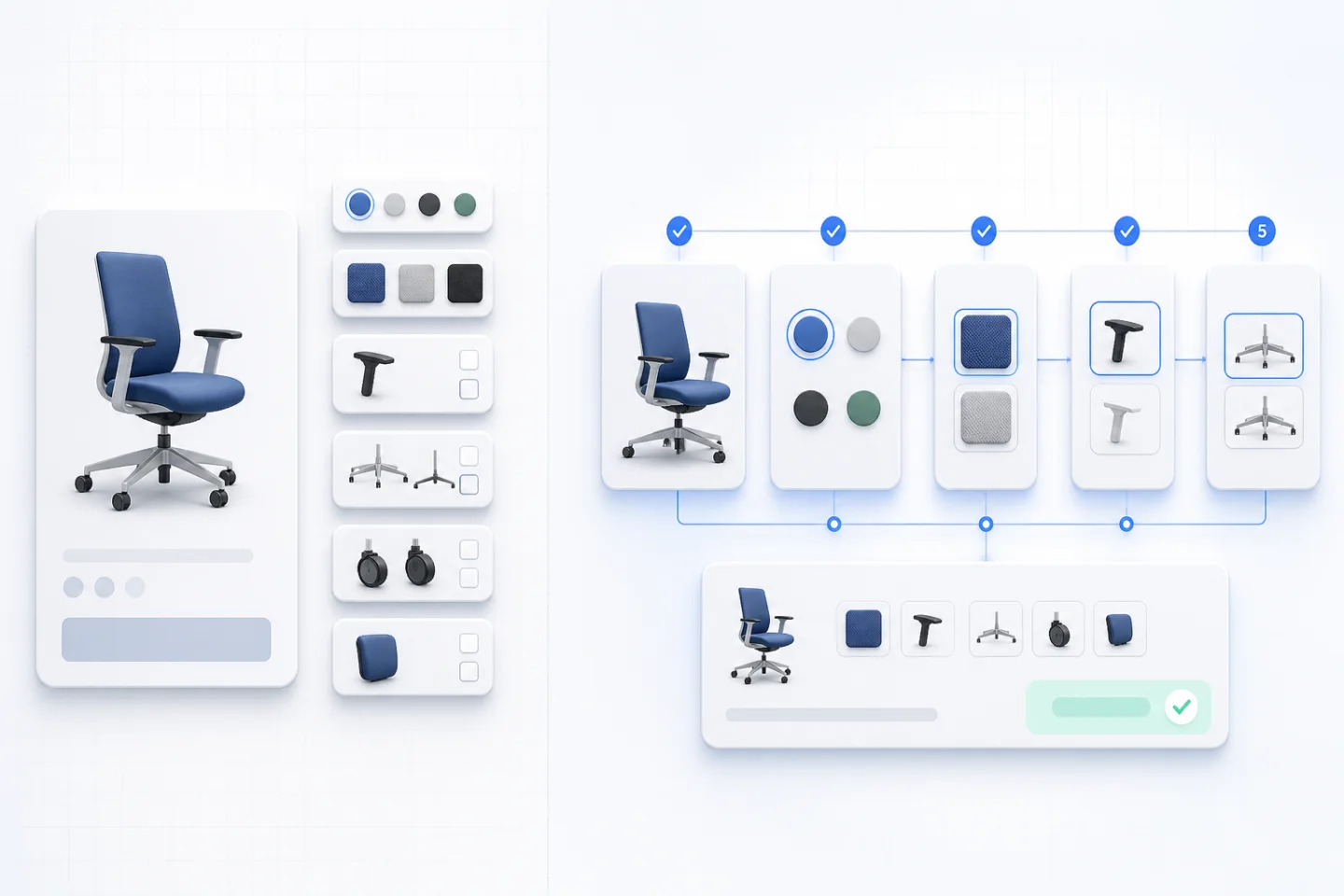
The practical difference
Extras extend a product. A configurator guides a system.
A product add-on adds fields such as a checkbox, text input, file upload, gift option, or fixed surcharge. A configurator gives choices a sequence, completion state, connected price, and reusable configuration record.
Side-by-side
WooCommerce product add-ons vs product configurator
| Requirement | Product add-ons | Product configurator |
|---|---|---|
| A few independent extras | Excellent fit | Supported, but may be more than needed |
| Multi-step guidance | Usually limited | Core experience |
| Conditional visibility | Depends on the extension | Available in DestinX Product Configurator |
| Cross-field dependencies | Often limited | ConfigCraft Pro filters |
| Matrix or CSV pricing | Usually separate | ConfigCraft Pro |
| Saved and shared configuration | Not always structured | Part of the guided workflow |
| Quote and production handoff | Separate process | Focused ConfigCraft add-ons |
Choose by workflow
Use the simplest tool that protects the order.
When every extra stands alone
- Only one or two optional extras
- Every extra works with every product version
- Pricing is a fixed surcharge
- No guided completion state is required
- The normal order line contains enough detail
When choices form a system
- Options are clearer when divided into steps
- Later values depend on earlier selections
- Prices use matrices, dimensions, ranges, or CSV
- Artwork or technical files stay with the configuration
- The result may become a quote or production job
Real workflow example
Configurable print rather than flat extras
This real ConfigCraft interface demonstrates a guided print-style flow; it is not a fabricated customer case. Format, print sides, paper, finish, quantity, and artwork are easier to review when the buyer sees a current step and a persistent commercial recap.
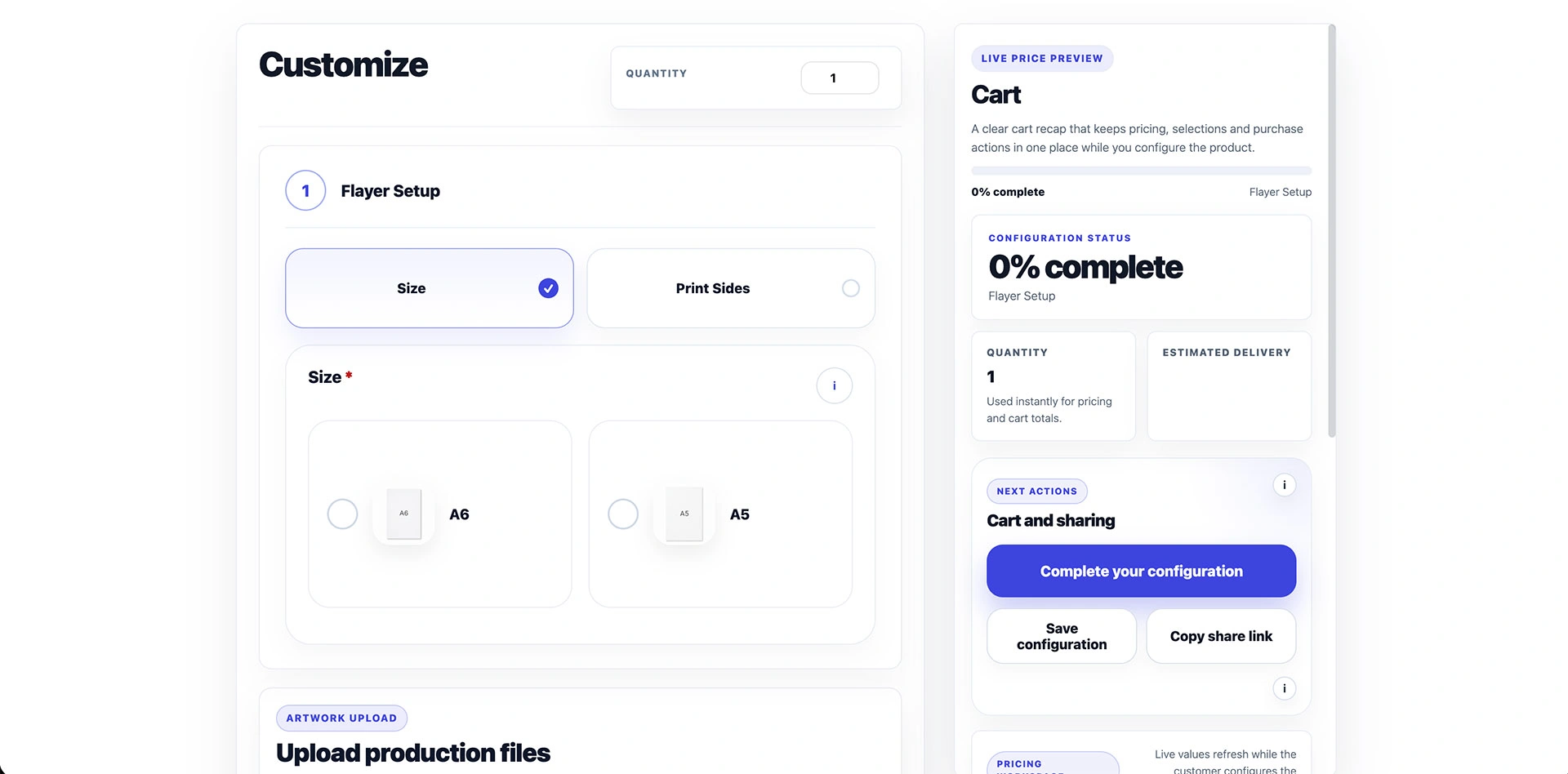
If the same product used only a gift-wrap checkbox and a short message, a standard add-on would be more efficient. If paper determines finishing, quantity selects a price table, artwork is required, and the specification must continue into an order or quote, the configurator earns its additional structure.
ConfigCraft editions
Add only the layer the workflow needs.
DestinX Product Configurator
Guided fields, boolean visibility, simple adjustments, uploads, saved configurations, sharing, and WooCommerce recap.
ConfigCraft Pro
Cross-field filters, matrix pricing, CSV imports, pricing simulation, starter kits, updates, and support.
Quote add-on
Structured requests, customer and file context, sales review, PDF offers, emails, and order conversion.
Production add-on
Statuses, internal notes, worksheets, files, exports, and a production view of the configured order.
Decision test
Five questions before choosing.
- Can every option be selected independently?
- Can the total be calculated with fixed surcharges only?
- Can the buyer understand every choice on one screen?
- Does the normal WooCommerce order line contain enough detail?
- Will the product always go directly to checkout?
If every answer is yes, product add-ons are likely enough. Each no is a signal to evaluate guided configuration, conditional logic, dynamic pricing, or a quote and production workflow.
FAQ
Add-ons or configurator?
What are WooCommerce product add-ons?
They are extra fields or purchasable choices added to a WooCommerce product, such as text, checkboxes, accessories, gift options, file uploads, or fixed surcharges.
When should I use a product configurator instead?
Use a configurator when choices must be guided, validated, priced from connected rules, saved as a structured specification, or continued into quotes and production.
Can ConfigCraft replace simple add-ons?
It can model simple options, but a lightweight add-on may remain the better choice when the product has only a few independent extras and no guided workflow.
Do I need ConfigCraft Pro for every configurable product?
No. DestinX Product Configurator supports guided options, boolean visibility, simple adjustments, uploads, saved configurations, sharing, and WooCommerce recap. Choose Pro for advanced filters and pricing.
Can a configuration become a quote or production job?
Yes. ConfigCraft Quote and Production extend the same configuration into commercial review and operational handoff when those add-ons and prerequisites are active.
Use the simplest tool that protects the workflow.
Compare the editions, then use the demo products to decide whether your catalogue needs independent extras or connected configuration.