Guided choices for print and custom products
WooCommerce Product Configurator
Build a WooCommerce product configurator with reusable steps, option prices and a clear order recap. Start with the free DestinX plugin, then add ConfigCraft Pro for matrix pricing, CSV price lists and dependent choices.
Free core on WordPress.org. WooCommerce required. Commercial modules are optional.
From product choices to a WooCommerce order
1. Build a reusable template
Organise formats, materials and finishes into steps. Use selects, radio buttons, swatches and checkboxes to present the options your store actually offers.
2. Assign it to a product
Connect the template to a WooCommerce product. The free plugin combines the product’s base price with simple option adjustments and the standard WooCommerce quantity.
3. Keep the configuration with the order
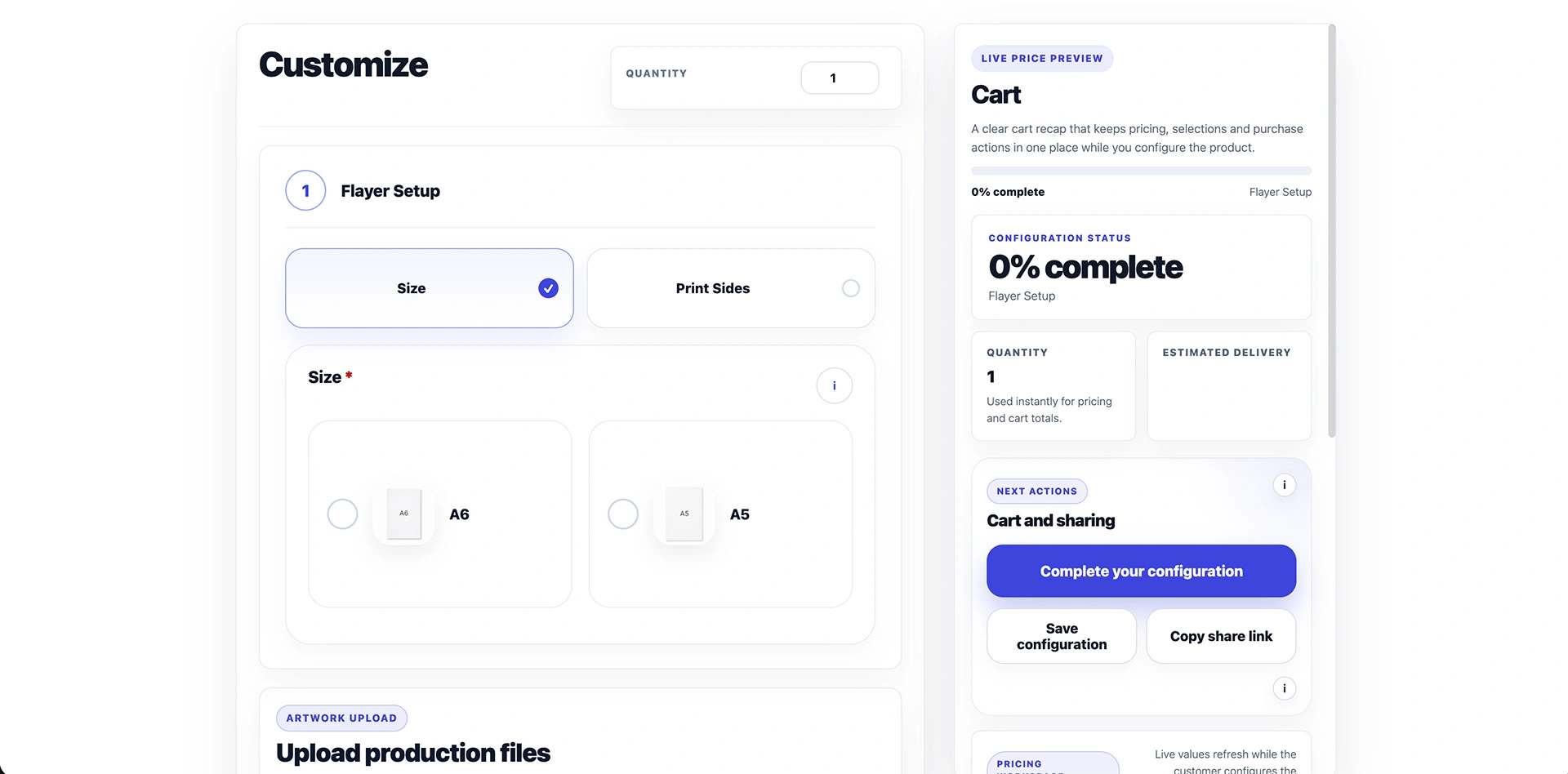
Customers see a recap as they choose. Their selections remain attached to the configured item through the cart, checkout and order, so your team can review what was purchased.
A practical example for a print shop
For a flyer, offer A5 or A6 format and single-sided or double-sided printing. Add a simple surcharge for an option in Free. If your print run uses a price table based on format and quantity, configure that table in Pro and check the combinations with its pricing simulator.
Choose the modules your product needs
Free: guided options and simple pricing
DestinX Product Configurator for WooCommerce is the complete free core behind ConfigCraft. Create templates, guide choices and preserve the order recap without a licence key or an external account.
Pro: matrices, CSV price lists and conditional filters
ConfigCraft Pro extends Free with matrix pricing, structured CSV price imports, cross-field filters and a pricing simulator. Use it when the price or valid options depend on several connected choices. Prepare your list in the supported format and test it before publishing.
Quote and Production: review and operational handoff
Quote adds request review, PDF offers and conversion of approved quotes to WooCommerce orders. Production adds worksheets, files, statuses and internal notes. These are separate commercial add-ons; they require Free and the matching Pro licence. Suite bundles Pro, Quote and Production.
Set up your first configurable product
Install WooCommerce and the free plugin, then open Product Configurator in WordPress. Import a Starter Kit or create a template, assign it to a product, and check the options, totals and cart recap on desktop and mobile.
Questions before you start
Can I use the free plugin without Pro?
Yes. Free works independently with WooCommerce. Add Pro only when you need its advanced pricing or filtering features.
Do I need a configurator or product add-ons?
A few independent extras may only need simple product options. A configurator is useful when customers benefit from a guided sequence and a structured recap. Add Pro when those choices also need pricing matrices or conditional filters.
Can I try it before installing?
Yes. Open the live demo to explore a configured product, then use the free plugin and tutorials to build your own first template.