Free and Pro
Visibility rules versus connected filters
Start with direct visibility
DestinX Product Configurator includes boolean option visibility. It is suitable for direct statements such as: show soft-touch lamination when premium paper is selected, or reveal an artwork field when custom printing is requested.
Add connected commercial logic
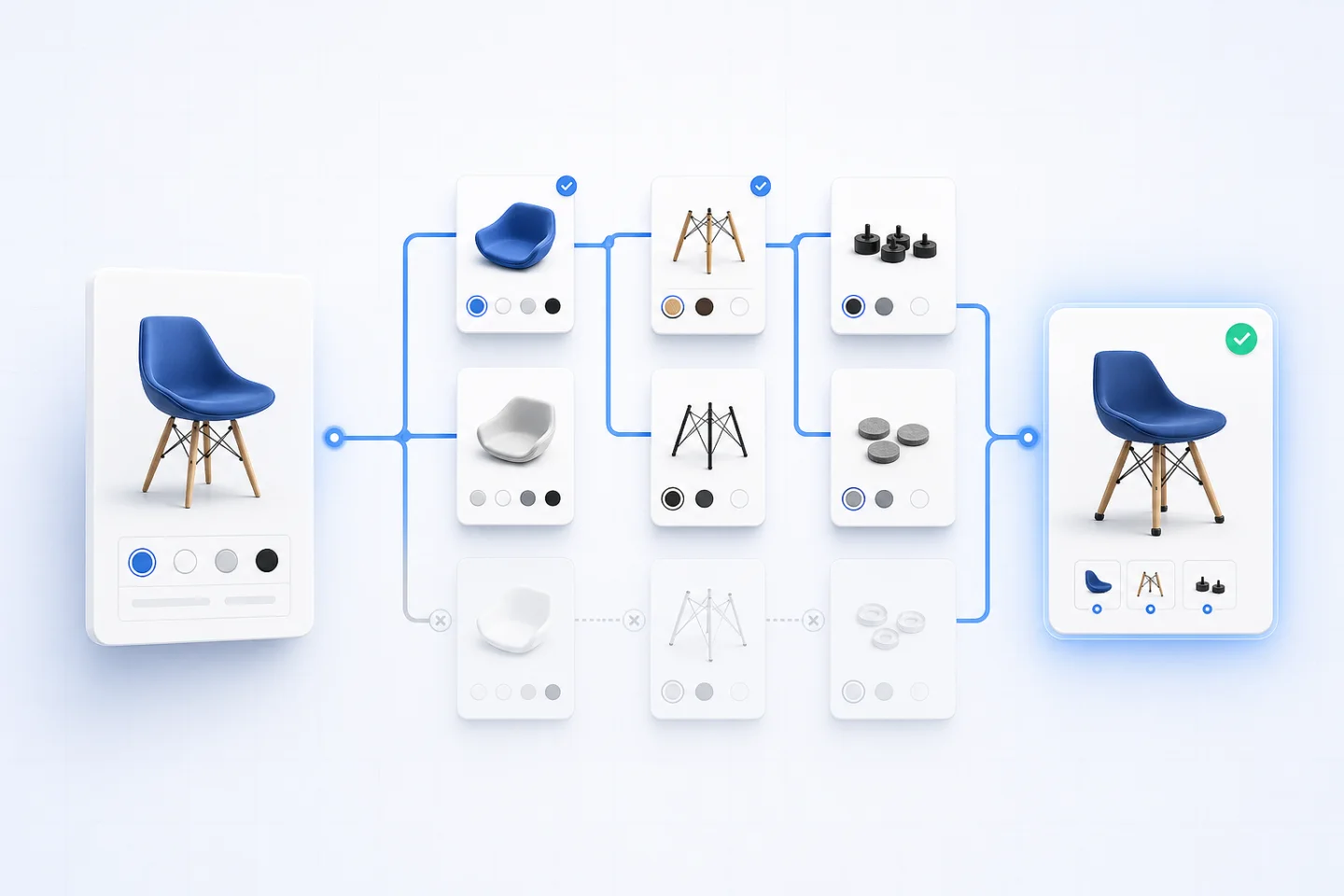
ConfigCraft Pro adds cross-field filters for connected choices. Pro also combines conditions with matrix pricing, CSV price lists, quantity logic, and pricing simulation.
This distinction matters: simple visibility remains accessible in Free, while connected commercial dependencies belong to the Pro workflow. A price engine should only evaluate a configuration after the allowed selection flow is valid.
Real workflow example
A compatible PC configuration
This example is based on the real ConfigCraft Gaming PC demo, not a fabricated customer case. The buyer chooses a processor, graphics card, and memory. In a production setup, filters can keep only compatible components available, while conditional matrix rows calculate the price for the completed combination.
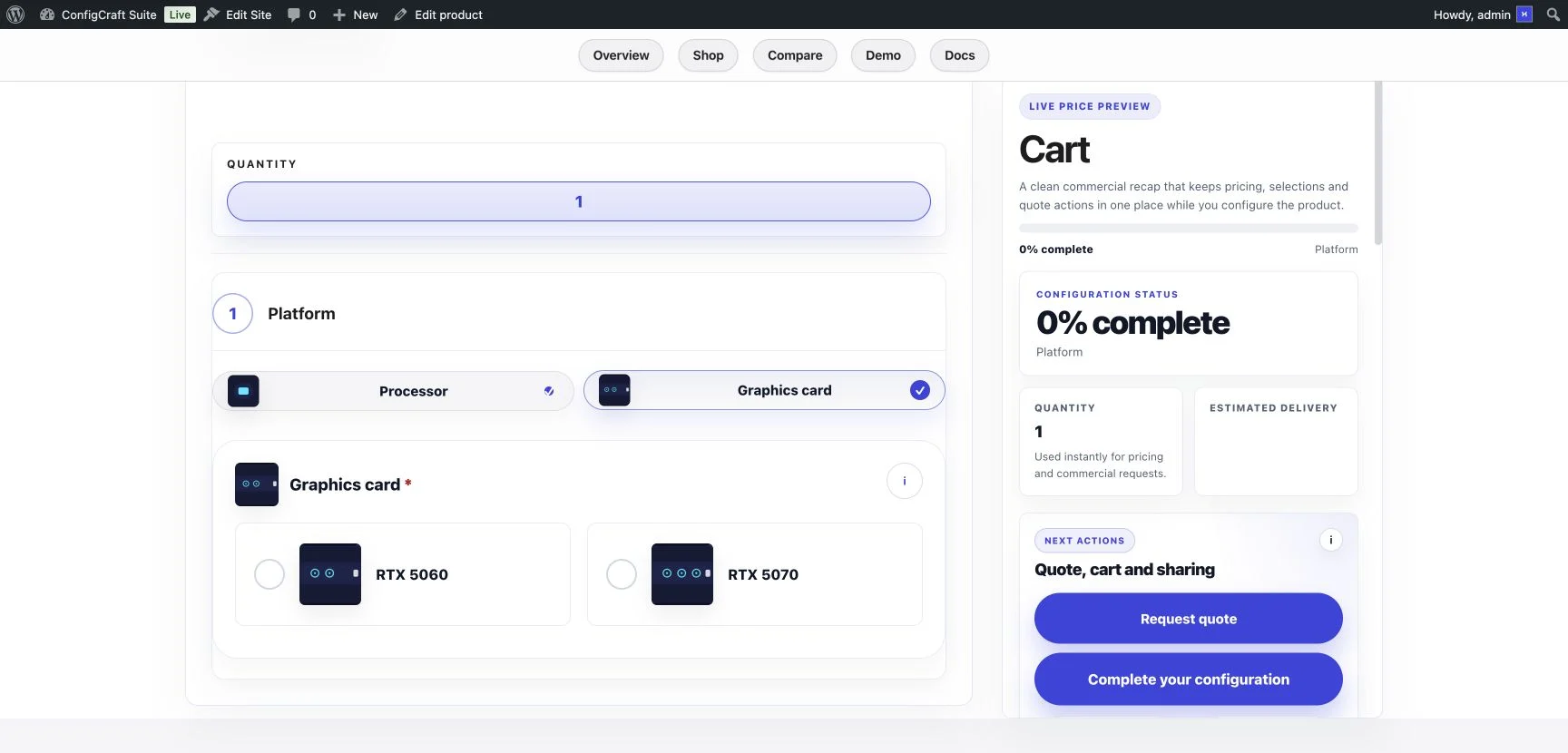
The customer-facing screen keeps the current step and commercial recap visible. The same selected values can then be preserved in the WooCommerce cart, order, saved configuration, or quote request instead of being reduced to an unstructured note.
Implementation
How to build reliable conditional product options
- List valid combinations first.Define the commercial and production rules before building fields.
- Create stable field values.Labels may change, but technical values should remain predictable for rules and integrations.
- Start with visibility.Use the simplest boolean condition that removes an irrelevant choice.
- Add filters only where fields are connected.Avoid a dense network of dependencies that is difficult to test.
- Connect pricing after the selection flow is valid.Never ask a price engine to price an impossible combination.
- Test matching and non-matching paths.Verify saved links, cart data, checkout, quotes, and orders as well as the product page.
Important distinction
Conditional logic is not the same as validation.
Visibility decides what the buyer can see. Filtering decides which values remain eligible. Validation decides whether the current state is complete and acceptable. Pricing decides the commercial result. Treating these as separate layers makes a configurator easier to maintain and explains errors more clearly to the customer.
For a broader decision framework, compare WooCommerce product options and guided configurators, then review dynamic pricing methods before selecting an edition.