WooCommerce print product configurator
Print products.
Ready for real production.
Guide customers through format, material, finish, quantity, artwork, pricing, commercial review, and production handoff without rebuilding the specification by email.
Business cards · Flyers · Signs · Labels · Packaging · Branded workwear
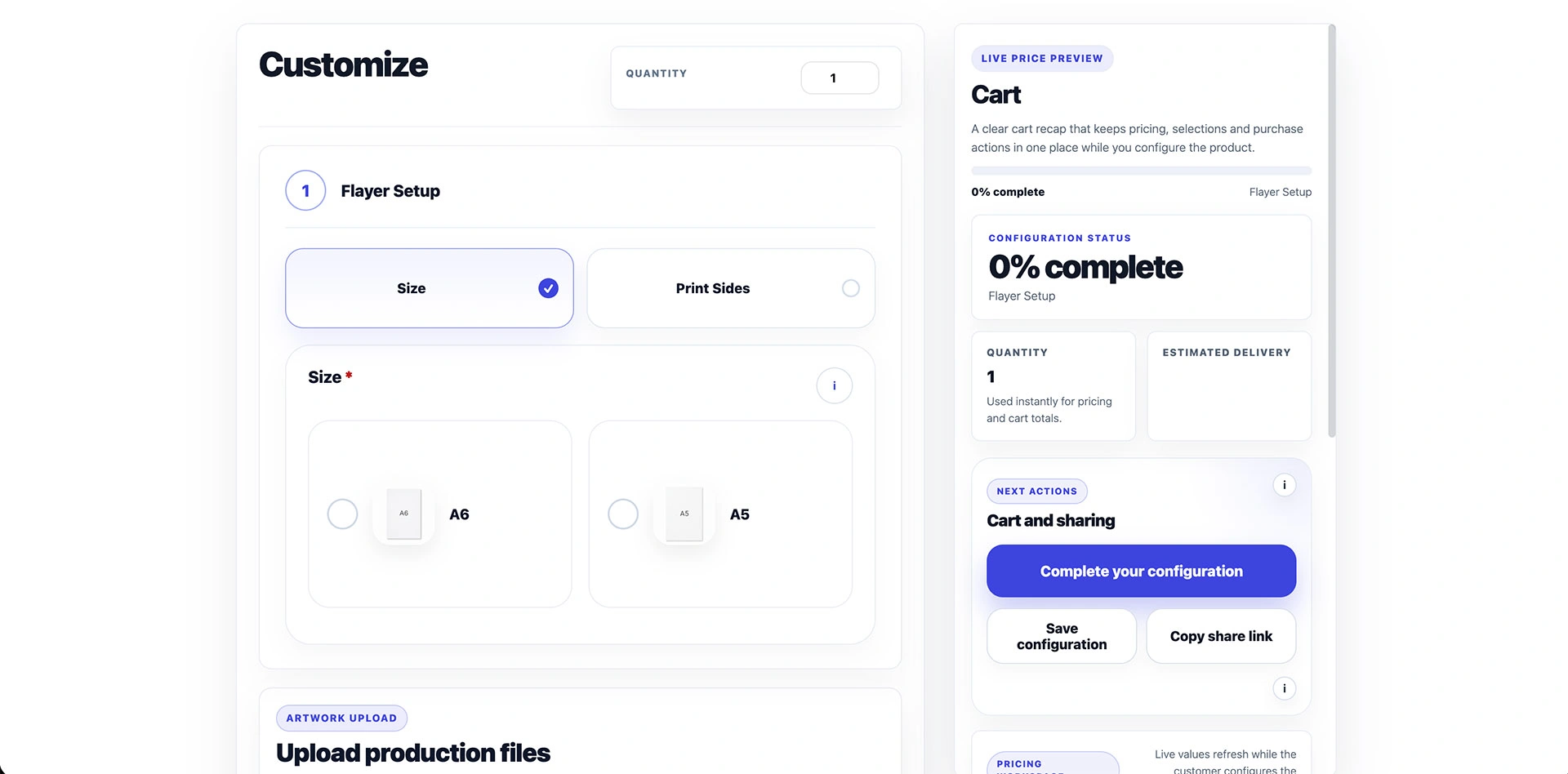
Why print workflows break
Turn connected specifications into guided decisions.
A flat list becomes difficult to review when paper affects finishing, quantity selects a price table, and artwork is required before an order can proceed. ConfigCraft keeps those decisions in focused steps and preserves a current commercial recap while the customer configures the product.
Connected print workflow
Keep every commercial decision in context.
The storefront, pricing source, customer files, commercial path, and operational result stay connected to the same WooCommerce product configuration.
Guided product choices
Break format, material, print sides, finish, quantity, and artwork into focused steps that customers can understand.
Valid combinations
Show only the choices that remain relevant to the current configuration and reduce specifications that need manual repair.
Simple live pricing
Use the complete Free core for per-option adjustments and show the updated total before the product reaches the cart.
Advanced price lists
Add Pro when format, material, and quantity require matrix pricing, CSV imports, cross-field filters, or simulation.
Artwork collection
Collect permitted artwork or technical files while the product choices still provide the production context.
Quote review
Keep configuration, customer files, price snapshot, message, and PDF offer together when sales must review the request.
Production workflow
Carry approved order data into statuses, notes, worksheets, file handling, and production emails.
WooCommerce recap
Preserve selected options, quantity, files, and pricing through cart, checkout, and order details.
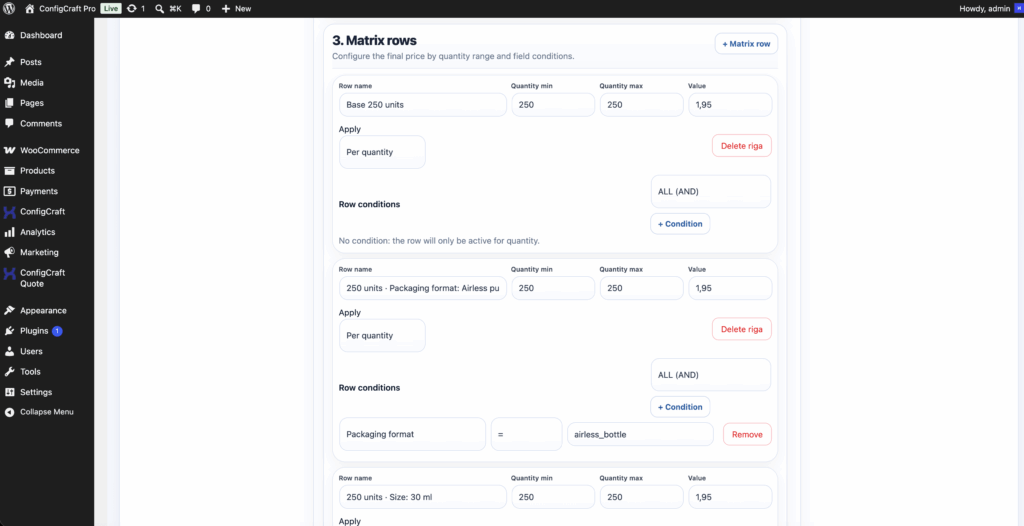
ConfigCraft Pro
Price from the rules your business actually uses.
Use a matrix when the price comes from controlled intersections such as format and quantity, or import a maintained commercial list from CSV. Define valid combinations first, then test minimum, maximum, missing, and boundary quantities before publishing.
- Matrix pricing and CSV imports
- Cross-field filters
- Pricing simulator
- Free core remains the guided configurator
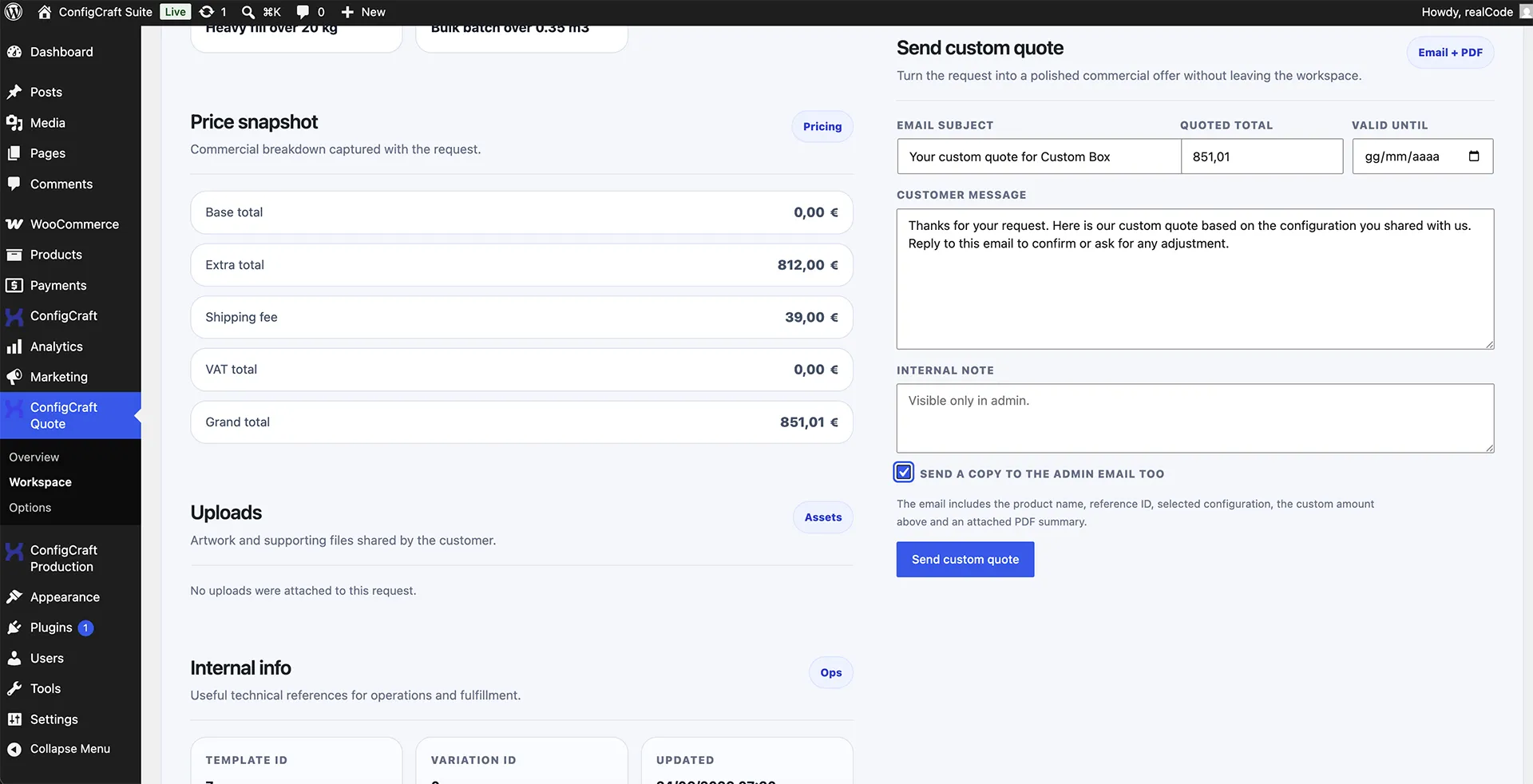
From request to production
Keep artwork, commercial review, and operations connected.
A configured print product can go directly to the WooCommerce cart or require a person to confirm price, feasibility, shipping, availability, or delivery. ConfigCraft Quote preserves the structured request instead of asking sales to reconstruct it from emails.
Choose the workflow that follows the configuration.
Keep direct checkout for predictable print products. Add commercial review or production handling only where the workflow requires it.
Print configurator questions
Can customers upload artwork with the configured product?
Yes. ConfigCraft can collect permitted artwork or technical files and keep them associated with the product configuration through the relevant WooCommerce workflow.
Can a print product use quantity or matrix pricing?
Yes. ConfigCraft Pro supports matrix pricing, CSV imports, pricing simulation, and filters for connected selections. DestinX Product Configurator supports simple per-option adjustments.
Does every configured product need a quote?
No. A validated configuration can proceed directly to cart. Use Quote when a person must confirm price, feasibility, shipping, availability, or delivery before an order is created.
Which ConfigCraft edition should a print business choose?
Start with the complete Free core for guided fields, simple pricing, uploads, saved configurations, sharing, and the WooCommerce recap. Add Pro for advanced pricing and filters, then Quote or Production only when the commercial and operational workflow requires them.
See the workflow
Turn a print specification into a usable WooCommerce order.
Open the real business-card demo, or configure the ConfigCraft modules and site tier that match how your print business sells today.
- Real guided demo
- No simulated product interface
- Direct cart, quote, or production path